1. Go to the Settings
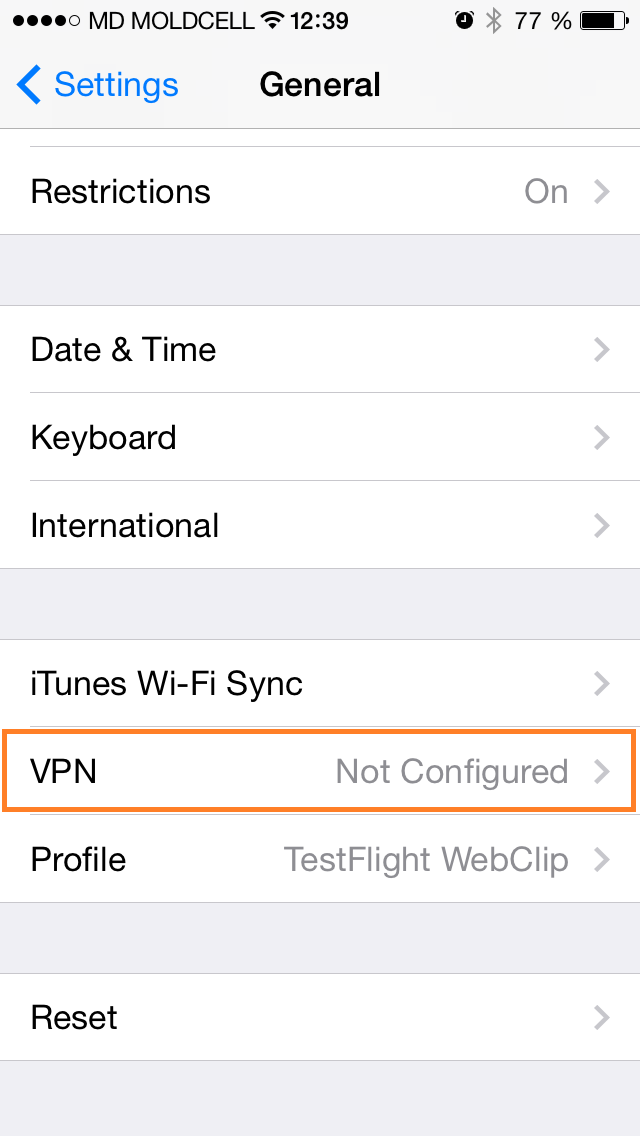
 2. Go to General > VPN
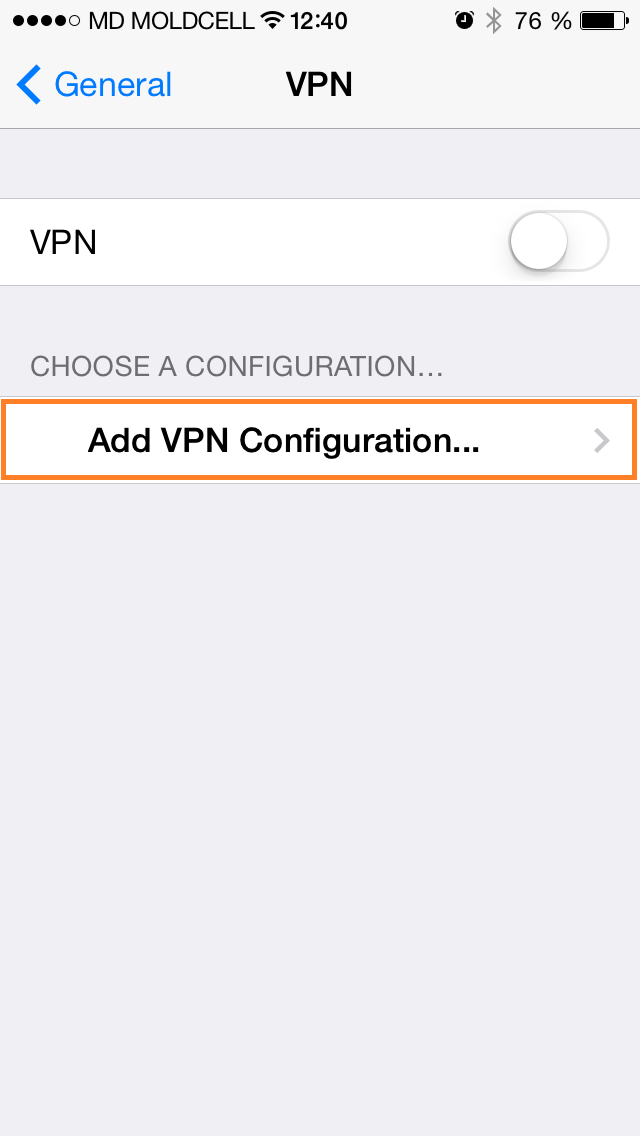
3. Click on Add VPN Configuration
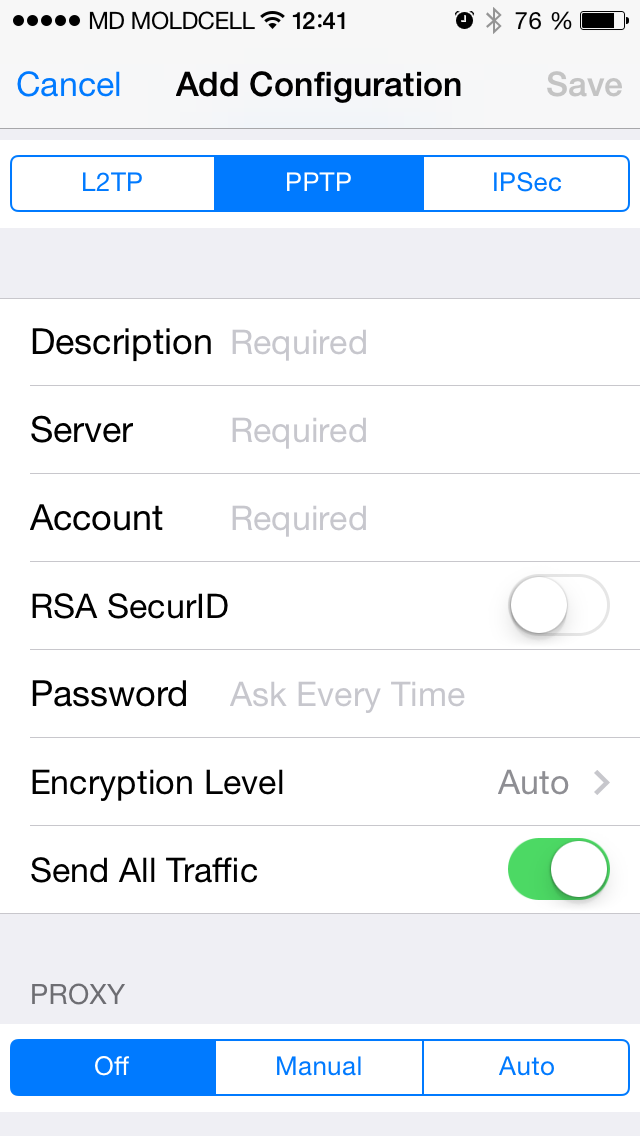
4. Select the PPTP VPN protocol at the top.
– For Description add any name you want ex: PPTP VPN
– In the Server field type the host name or IP address as 45.62.111.70.
– For Account enter your VPN username.
– For Password enter your VPN password.
- You should use the Details provided in Gig Order.
– Encryption level let it “Auto”.
– Enable “Send All Traffic”
6. Click Save on the top right corner to save VPN configuration.
7. You can now connect to the VPN.
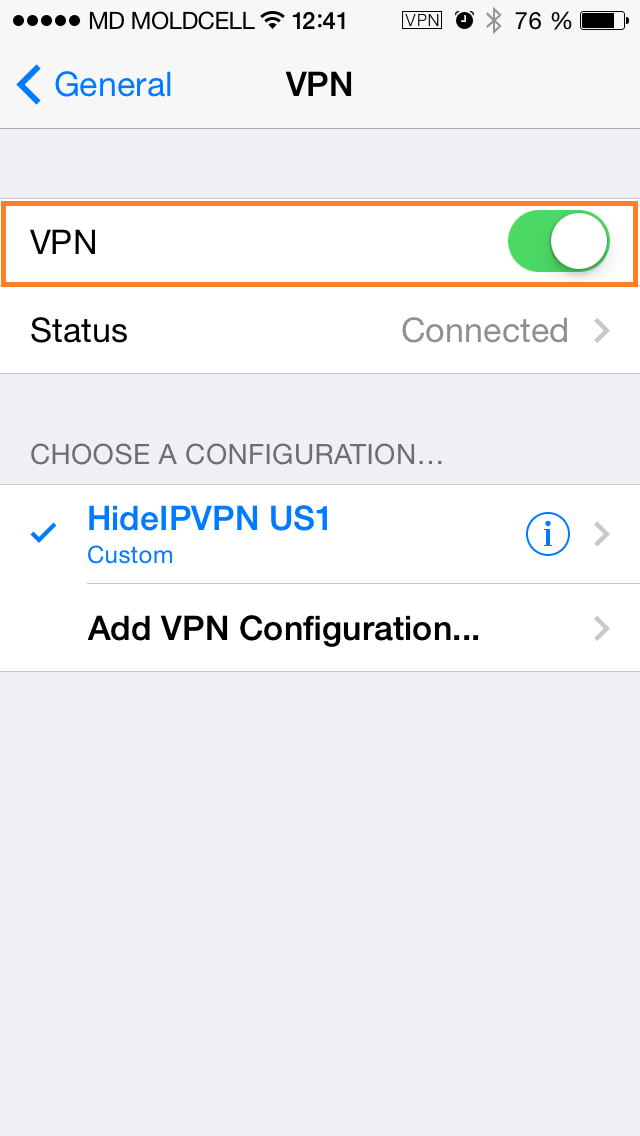 8. To Disconnect from VPN just disable VPN.
Important! You may not use this VPN for Commercial or Business purposes else if detected the VPN will be Suspended without any Refunds
If you need Commercial VPN please contact us through Fiverr.
BUY VPN NOW IF YOU DON'T HAVE ONE ALREADY , CLICK HERE.
8. To Disconnect from VPN just disable VPN.
Important! You may not use this VPN for Commercial or Business purposes else if detected the VPN will be Suspended without any Refunds
If you need Commercial VPN please contact us through Fiverr.
BUY VPN NOW IF YOU DON'T HAVE ONE ALREADY , CLICK HERE.

No comments:
Post a Comment